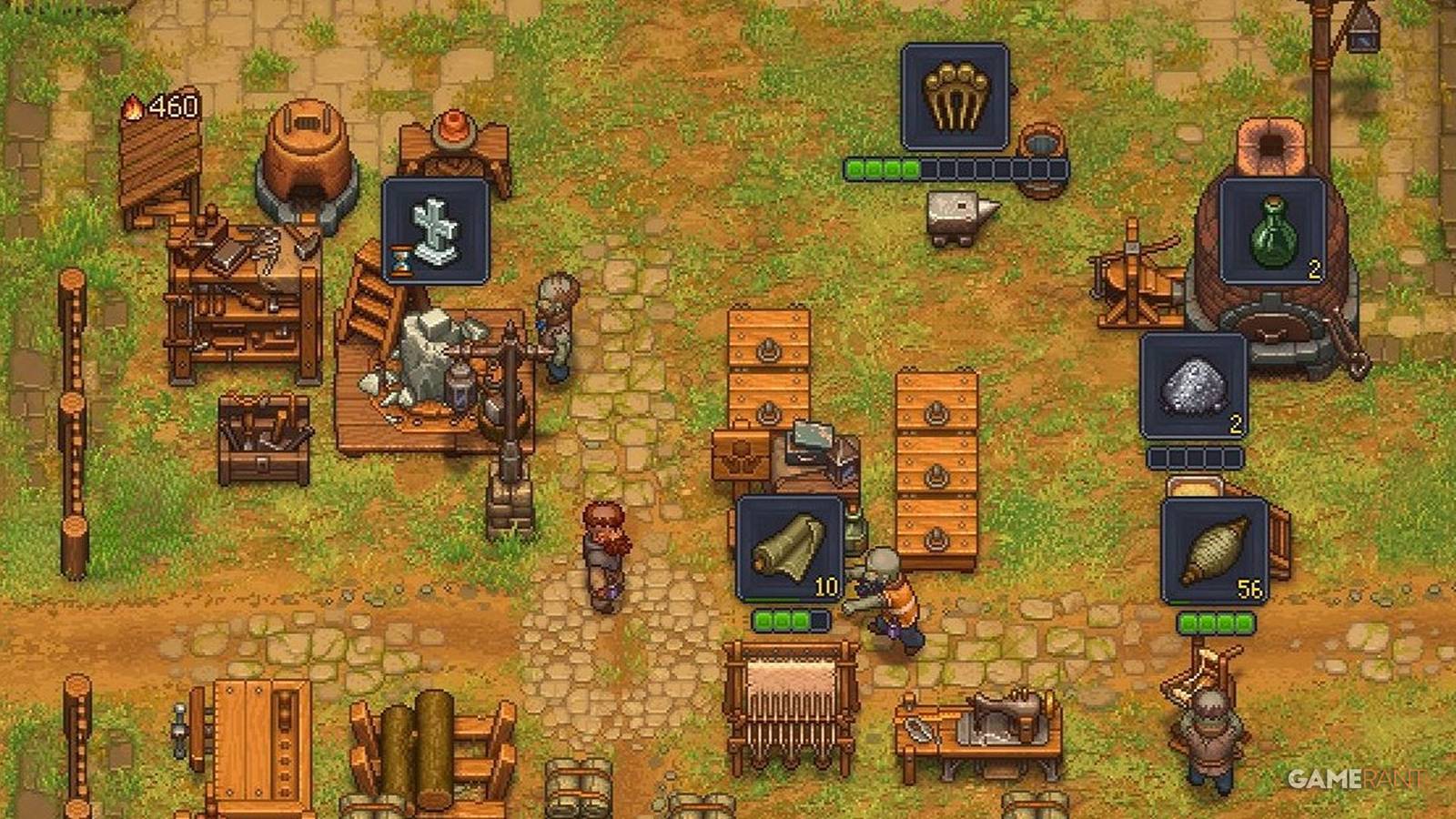
While the world of Graveyard Keeper 2 is under attack from hordes of the undead, zombies can instead be useful and be put to work. They can mine, craft, farm, cook, brew, and transport, helping to produce all types of goods. They can even unlock Perks, helping them to specialize in certain roles. However, getting zombies to work in Graveyard Keeper 2 can be tricky at first, with explanations being rare across the game.
How To Get Zombies To Work In Graveyard Keeper 2

You will receive two zombies from the Plague Doctor fairly early on in the story, and three more can be gotten from Gunter the Astrologer after completing the first battle and a few errands for him. Zombies can also be resurrected in the morgue from corpses.
The Best Corpses For Work Zombies

While you want to bury zombies with lots of White Skulls to improve your Graveyard Quality, worker zombies perform better with Red Skulls. This is because the number of Red Skulls represents the maximum number of perks they can unlock. However, early on, players will only have access to Bronze Zombie Collars, which are capped at 5 Red Skulls.
You should remove Red Skull body parts from corpses you intend to bury and save them for when a strong zombie candidate arrives. It’s then possible on the Autopsy Table to insert these body parts, increasing the number of Red Skulls.
Zombies can be returned to the Autopsy Table to replace organs, improving them. You can even give them a better Zombie Collar by inspecting them and heading to the Character tab.
Equipping The Zombies

Depending on which type of work you want your zombie to do, you will need to equip them with the correct tool. These tools provide a buff to stats such as farming or crafting, allowing your zombies to make more advanced goods. You can equip them by using the Inspect button and navigating to the Character tab.
- Crafting & Woodcutting: Axe
- Metallurgy: Hammer
- Farming: Shovel
- Mining: Pickaxe
- Fishing: Fishing Rod
The only exception is for transporter zombies that don’t rely on any stats or tools. Use your lower-rated zombies for these jobs.
As you progress through the game, remember to craft better tools, as these provide better stats. It doesn’t take too long to unlock Iron spades, axes, and the like.
Putting Zombies In A Place To Work

To put zombies to work, you will need to physically carry them and put them at a workstation or crafting apparatus. Thankfully, you can still fast travel while carrying zombies or logs.
Workplaces for zombies include:
- Kitchen Table
- Kitchen Millstone
- Zombie Supplier Station
- Stonemason’s Workbench
- Woodworking Workbench
- Sawhorse
- Chopping Spot
- Circular Saw
- Anvil
- Potter’s Wheel
- Sluice Box
- Spinning Wheel
- Weaving Loom
- Sewing Table
- Writing Desk
- Printing Press
- Jewelry Table
- Formulation Bench
- Gardener Stand
- Porter Station
- Vine Press
- Brewing Stand
If you then want to craft something yourself faster with your higher crafting stat at any of these locations, you can pick the zombie up and put them on the ground for a bit. You can also move them to other workstations as needed.
Telling Zombies What To Make

Before or after a zombie is placed down to work, you can make a queue of items to craft in the same way you do for yourself. Ideally, they will be given long queues so that they keep working while you are away or sleeping. You will need to have plenty of the correct resources in nearby chests for long queues.
Supplying The Zombies With Materials
Your zombies are now equipped, standing at their workstations, and have instructions for what to make. However, they won’t start working until they are supplied. You can do this yourself by going up and clicking Put, which will work if you have the correct resources in your inventory or a nearby chest.
A more long-term solution to keep the supply chain running is to build a Zombie Supplier Station and place a zombie here to work as a courier. They will wear a fluorescent jacket, and as long as there are materials in chests nearby, they will automatically pick these up and carry them to workstations. They will also take completed items from zombie workers and put them in chests.
Make sure courier zombies have clear paths and remember to empty chests and put resources back in; otherwise, production will grind to a halt.
Additionally, you will need porter zombies for different areas and buildings, as they cannot go beyond their work zone. The different work areas are the yard, the garden, the vineyard, the brewery, the science lab, and the kitchen. The same goes for chests. For example, a kitchen porter will not walk outside to the garden to pick up crops to turn into food. You alone are relied on to transport goods between your base, as well as filling up on fuel.
Leveling Zombies Up With Perks

Zombies will gain Red, Green, or Blue Gems depending on what kind of work they do. When they reach 50 of these, they can unlock their first Perk. Some Perks grant +1 to a specific stat, allowing this zombie to craft more advanced products. These can be vital unless you want your blacksmith zombie to be stuck making only bronze items, for example.
Other Perks are more specialized, and more demanding jobs will want a zombie tailored to its needs. For example, there’s lots of woodworking to be done, so consider a zombie with the woodworking line of Perks, as they can get a +4 buff when working with wood.
Remember to inspect your zombies from time to time to check if they have enough Gems for any new Perks.
Farming With Zombies In Graveyard Keeper 2

When it comes to farming crops, vegetables, and running the vineyard with zombies in Graveyard Keeper 2, things are a little different. In fact, farmer zombies become pretty much self-sufficient, leading to almost unlimited food for your keeper.
Equipment & Perks For Farmer Zombies
Farmer zombies naturally use the farming stat, and thus you must equip them with a Shovel to boost their farming stat. Eventually, you’ll be able to unlock Perks specifically for farming, allowing your zombies to produce higher-yield harvests.
Build A Zombie Gardener Stand
The first step is building a Gardener Stand, which, of course, needs to be unlocked on the Tech Tree. It is constructed at the garden blueprint table with the following materials:
- 4 Wooden Planks
- 2 Bronze Details
- 6 Bronze Nails
You can then pick up a zombie and place them at the Gardener Stand. They will don a straw hat, but won’t start farming yet. Later on, you can build a second Gardener Stand after increasing the size of your garden.
Build Tablets

Next, you will need to use the second tab of the garden blueprint table to build Tablets for specific crops. For example, you could make one row for Carrots and another for Wheat. Your farmer zombie will then plant the corresponding seeds and, when the time comes, harvest the crops and put the produce into one of the garden chests.
All you need to do is fill the chests with seeds and occasionally take out the crops to make space for more.
These signs cost nothing to build, and you can replace them to produce different crops by destroying them at the blueprint table and making new ones. However, you’ll need to harvest these rows first if they aren’t already empty, as zombie farmers will only interact with the crop on the Tablet.
Vineyard Zombies

Zombies work almost exactly the same in the Vineyard, which is to the west over the bridge that has to be repaired. Realistically, you only need one zombie to work here, but you’ll need more inside the Vineyard Basement where wine is pressed and beer brewed.
Just remember to empty the chest so that production doesn’t grind to a halt, and consider investing in bigger chests for your garden and vineyard.
There is also a Porter Station to build in the Vineyard so that one zombie can carry grapes and hops inside.
Other Jobs For Zombies In Graveyard Keeper 2
Here are some other jobs zombies can do in Graveyard Keeper 2, but you’ll only gain access to these later, and by that point you’ll be well-used to how everything functions.
- Sawmill
- Mining
- Factory
- Soldiers

- Released
-
September 22, 2026
- ESRB
-
Teen / Blood, Suggestive Themes, Use of Drugs and Alcohol, Violence
- Developer(s)
-
Lazy Bear Games
- Publisher(s)
-
tinyBuild
