Mecha Chameleon It's all about quick thinking and hunters questioning everything they see. This is a game where a small mistake can turn into a dramatic moment. Clones are one of the trickiest tools in your little cheat toolbox, but they're also easy to misunderstand if you're just jumping in and hoping for the best.
Good clone placement can create the perfect distraction, while bad can make you the easiest target in the room. This guide covers the basics and tricks behind clones so you can start playing smarter and sneakier.
How to create a clone

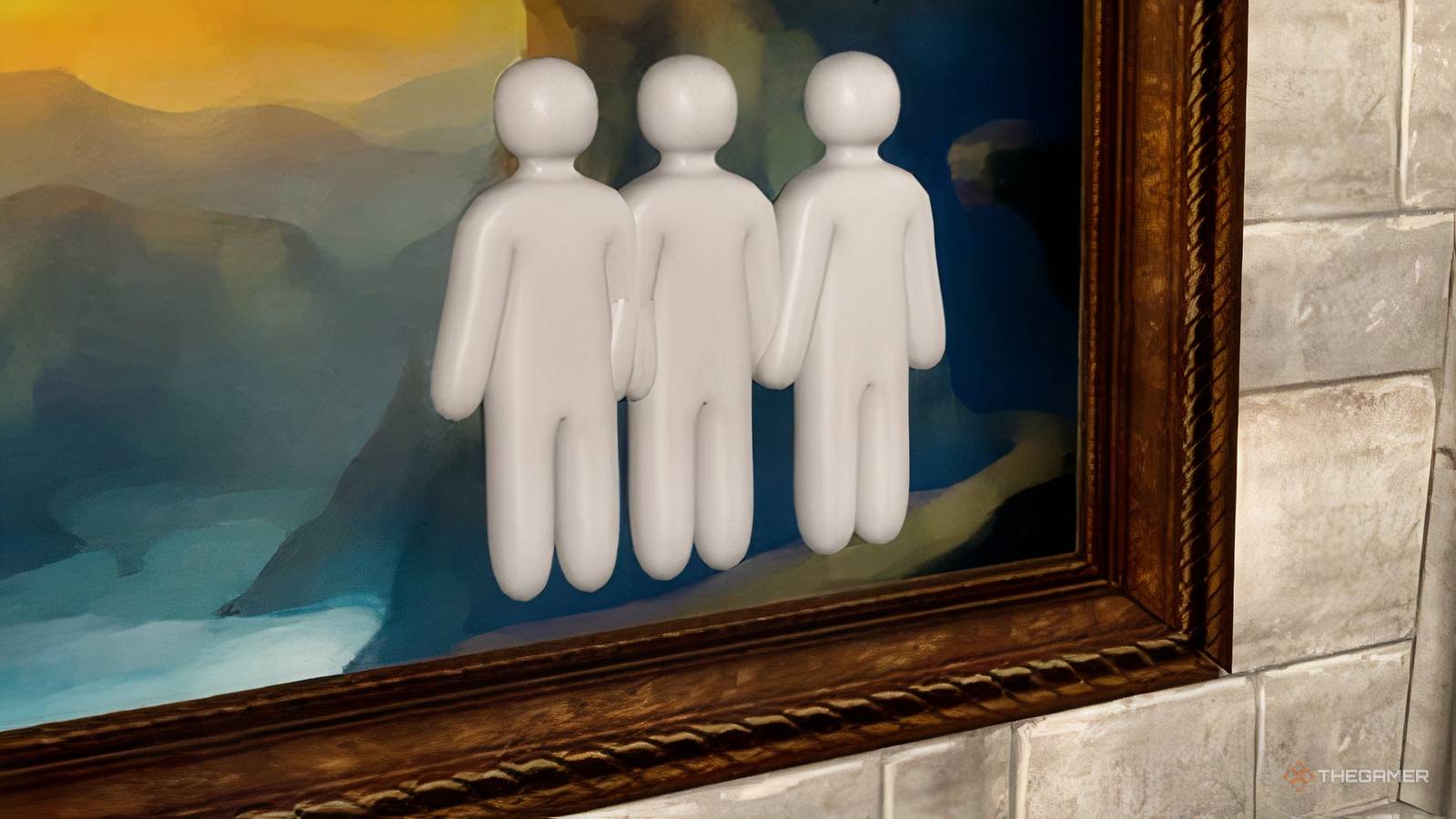
To create clones, Press Q. you can Two clones are active At the same time, that gives you more opportunities to misdirect hunters or hide your position. If you want to remove your current clones before placing new ones, Press X to clear them immediately.
Keep in mind that creating clones is not unlimited, as the ability has a 30-second cooldown before it can be used again.
One of the most useful mechanics is that You can move directly to your clone without Triggering the game's red alert effect. Usually, overlapping objects can make it obvious that something is out of place, but your own clone is an exception. It allows You stock yourself with them or Create unusual shapes Looks convincing enough to fool hunters into wasting time or shots.
Clones also increase your missed spot ranking.
Clones also ignore gravityWhich opens up additional placement options. If you jump before creating one, it will Stay suspended in the air instead of falling to the ground. Floating clones can create disguises that would otherwise look impossible or create distractions in places where predators don't expect to see a target.
While clones are great distractions, they also come with great risk. They are directly linked to your survival, meaning that if a hunter shoots any of your active clones, you are also instantly eliminated. A clone isn't just a harmless decoy, so placing it in an obvious spot can backfire if a hunter checks out.
Best clone tips

The best clone placements are those Make hunters second-guess themselves. Instead of placing clones next to each other in obvious places, try Spread them out or overlap them to create unusual structures. Since you can stand inside your own clone without triggering the warning effect, you can construct convincing disguises that look like a single object from a distance.
Remember that Every clone is a potential weak point. Shooting through clones still counts as damage, just avoid placing them where hunters are already looking or where they're likely to fire mindlessly.
don't do Forget about the 30-second cooldown. Because you cannot immediately replace destroyed or removed clones, plan ahead before using them. A poorly timed clone can leave you without your most powerful cheat tool when you need it most. Jumping before creating a clone is also worth practicing, as floating clones can create distractions that most hunters don't expect to see.
Meccha Chameleon: 33 Best Places to Hide
Looking for hiding places in Mecca Chameleon? Here are the top places to mingle.
